
In a small company, expense reports usually start informally. A founder books a flight on a personal card, an engineer buys a software license, and someone sorts it out at the end of the month. That works until the business has to show the IRS, an auditor or an investor why each reimbursement was paid. At that point the question is less about the money and more about the paper trail behind it.
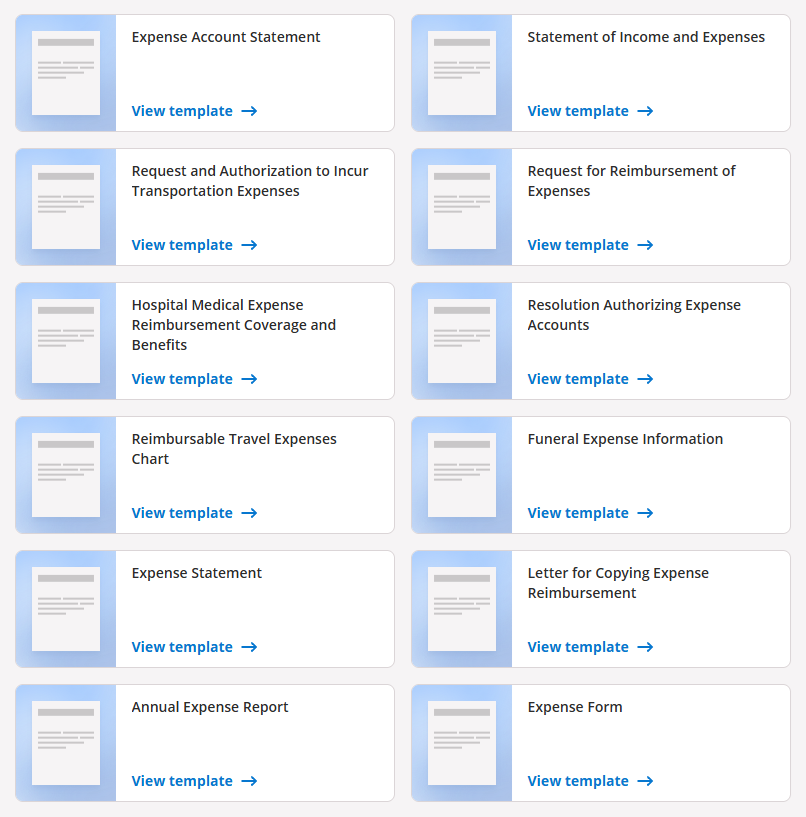
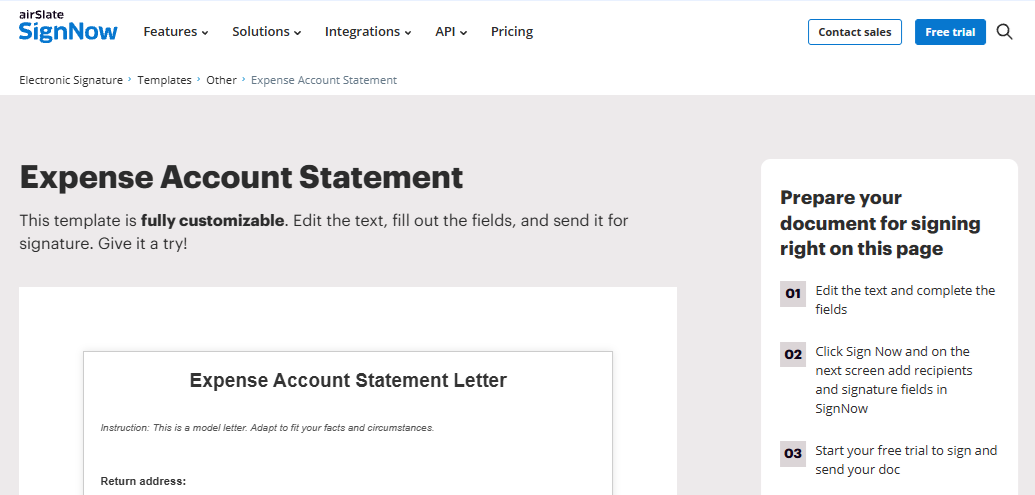
A consistent form and a recorded approval solve most of that. Rather than designing a report from scratch, a team can begin with one of signNow's Expense Report Templates, adapt the fields to its own policy, and send each completed report for signature to whoever approves it. This guide covers the tax rules that shape an expense report, what the form should capture, how approvals work with electronic signatures, and how different teams put this into practice.
Why the IRS cares how you reimburse expenses
In the U.S., reimbursements paid under an "accountable plan" are not treated as wages. As IRS Publication 463 explains, a plan qualifies when it meets three conditions: the expenses have a business connection, the employee substantiates each expense to the employer, and the employee returns any amount paid beyond what was substantiated. If a plan fails those tests, the payments count as wages, are reported on the employee's Form W-2, and are subject to withholding and employment taxes.
Timing matters as well. Under the IRS fixed date safe harbor, expenses substantiated within 60 days of being paid or incurred, and excess amounts returned within 120 days, are treated as handled within a reasonable period. A signed expense report is the document that shows each step happened on time.
Receipts: what the IRS expects to see
Not every line needs a receipt. IRS regulations require documentary evidence, such as a receipt or paid bill, for any lodging expense while traveling away from home and for any other expense of $75 or more. That evidence should establish the amount, date, place and essential character of the expense. The business purpose is usually recorded on the report itself, which is why a specific "purpose" field matters.
For smaller items without receipts, the report becomes the main record, so descriptions should be concrete: "client lunch, Acme renewal" rather than "meal." On retention, the IRS guidance on how long to keep records generally points to three years for tax records and at least four years for employment tax records.
Fields an expense report template should include
Whichever template you start from, check that it captures the details an approver or auditor will look for:
- Employee and period: name, team and the dates the report covers.
- Expense lines: date, vendor, location and category (travel, lodging, meals, mileage, software, supplies).
- Amounts: amount and currency, plus the exchange rate for foreign purchases.
- Business purpose: one specific sentence per line, with a client or project code where relevant.
- Receipts: an attachment or reference for every line that requires one.
- Mileage: trip date, start and end points, and miles driven.
- Advances and balance: any cash advance received and the amount owed to or by the employee.
- Signatures: employee certification and approver sign-off, each with a date.
The advances and balance lines are the easiest to leave off a template, yet they are what show that any excess was returned.
Where signatures fit in the approval chain
Most expense reports need two signatures. The employee signs to certify that the expenses are accurate, business-related and not claimed elsewhere. A manager or finance lead then signs to approve payment. Some teams add a finance review in between to check categories and project codes before money moves.
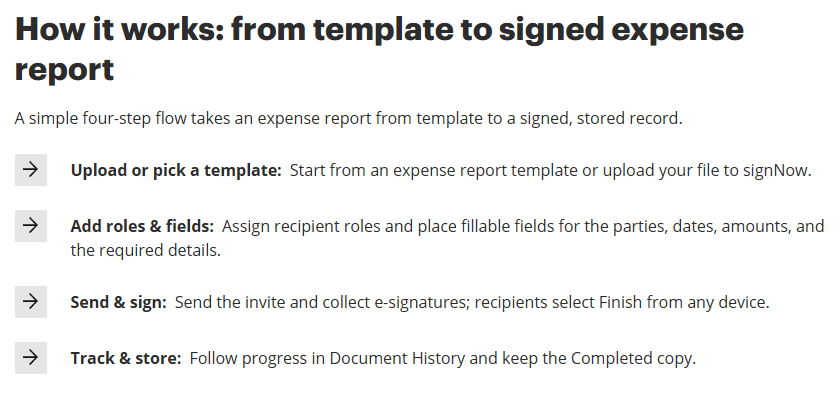
Electronic signatures fit this sequence well. The federal ESIGN Act says a signature or record can't be denied legal effect solely because it is electronic, and it allows records to be kept electronically as long as they stay accurate and can be reproduced later. In signNow, the sequence runs from picking or uploading a template, through adding roles and fields, to sending and signing, then tracking and storing the result. Setting a signing order means the approver receives the report only after the employee has signed, and the completed copy is stored with its audit trail.
How different teams use signed expense reports
The form stays the same, but each team has its own details to get right:
Sales and field service teams
People who travel to customers generate most of a company's expense lines: mileage, parking, hotels and meals. Many employers reimburse mileage at the IRS standard mileage rate, which the IRS updates each year, but the report still needs the date, destination, business purpose and miles for each trip. A weekly or biweekly report keeps the volume manageable and well inside the 60-day window. Because field staff often submit from a phone, a template with simple fields and a clear signature box saves back-and-forth with finance.
Healthcare: home visits and traveling clinicians
Home health aides, visiting nurses and therapists often drive between patient appointments, so mileage is a regular expense. The safest practice is to keep protected health information off the expense report entirely: use a visit or route ID rather than a patient name or address. If a practice does need to route documents containing patient data through an eSignature tool, HIPAA generally requires a business associate agreement (BAA) with that vendor. HIPAA is on signNow's list of supported standards, and the company notes that a BAA is required for that use.
Legal: client disbursements
Law firms regularly pay costs on a client's behalf, such as filing fees, courier charges, travel or expert fees, and then bill them to the matter. Each expense line should carry the matter number so the cost lands on the right invoice. The ABA's Model Rule 1.5 expects lawyers to communicate the basis of the fee and the expenses the client will be responsible for, preferably in writing. A signed internal expense report adds the other half of the record: who incurred the cost and who approved it.
HR onboarding: the policy comes first
Reimbursement rules work best when employees see them on day one. Some states set their own requirements. California requires employers to reimburse employees for necessary expenditures incurred in the direct consequence of their duties. Illinois requires reimbursement of necessary expenditures, asks employees to submit them with supporting documentation within 30 calendar days, and calls for a signed statement when a receipt is missing. Adding a written expense policy to the onboarding packet, signed electronically along with the other new-hire documents, gives both sides a dated record of the rules.
Keeping reports audit-ready
A signed report only helps if it can be found later. Store completed reports in one place, named consistently by employee and period, and reconcile them against card statements each month so missing receipts surface early rather than at year end. Keep the receipts attached to the report they support.
On the tool side, look at how documents are protected and tracked. signNow states that it uses TLS 1.2/1.3 encryption in transit and AES-256 at rest, keeps an audit trail for each document, and supports two-factor authentication. It also lists SOC 2 Type II and GDPR among its compliance standards.
Frequently asked questions
How soon should employees submit expense reports?
Under the IRS fixed date safe harbor, expenses should be substantiated within 60 days of being paid or incurred, and any excess returned within 120 days. Some states are stricter: Illinois asks employees to submit within 30 calendar days. Many companies simply set a monthly deadline that fits both and keeps the books current.
Do I need a receipt for every expense?
No. IRS regulations require documentary evidence for any lodging expense while traveling away from home and for any other expense of $75 or more. Smaller items still need to be recorded with the amount, date, place and business purpose, so the expense report itself carries more weight for those lines.
Are electronically signed expense reports valid records?
Yes. Under the ESIGN Act, a signature or record can't be denied legal effect just because it is electronic, and electronic records can satisfy retention rules if they remain accurate and reproducible. Keep the completed report, its audit trail and the attached receipts together for at least as long as IRS retention guidance requires.
What should an employee do if a receipt is lost?
Most policies ask for a signed missing-receipt statement that records the amount, date, place and business purpose. Illinois law specifically calls for a signed statement when documentation is missing. For lodging, or any other expense of $75 or more, IRS rules expect documentary evidence, so a statement alone may not be enough.
Can a founder reimburse their own expenses through an expense report?
Yes, if the founder is on payroll as an employee of the company, the same accountable plan rules apply as for any other employee. It is good practice for a second person, such as a co-founder or finance lead, to sign as approver, so the record does not rest on a single signature.